One test, one feature: how much should a single test check?
You are writing a test for your site and wondering whether to put everything in it or split it up. Split it. One test checks one feature, reached by the shortest path, so that a failure points to a single cause.
The instruction box is empty, and the list in your head is long: sign-up, cart, language, discount code, newsletter, footer. You could write it as one test, or as six. Write six. A test should check one thing, and only one.
The reason is what happens on the day the test fails. A test that checks one thing and fails tells you what broke. A test that checks six things and fails tells you that something, somewhere along the way, went wrong. If several things are tested at once, you cannot tell which one caused the failure, and you end up investigating instead of fixing.
Arnaud, who created Qaviar, puts it in one sentence: "The smaller the test, the more reliable it is."
The rule comes from experimental method
Anyone who did science at school knows the principle. You keep a control, the reference version that you leave untouched and compare against, and you change one variable per experiment. Change the temperature and the light at the same time, and when the plant grows faster you cannot say which of the two did it.
Testing a website works the same way. A test is an experiment on your site: you do something, and you check that the expected result appears. If the test changes several things before it checks anything, the result stops meaning much. When it comes back with an error, two questions have no answer. What triggered the change? Which of the things you did created the gap?
A good test answers both. When it fails, it names one suspect, not a list.
One instruction that checks everything at once
Imagine an instruction like this one, for an online shop:
Create an account, add three products to the cart, switch the site to French, apply a discount code, sign up for the newsletter, then check that the footer shows the links to the terms and the privacy policy.
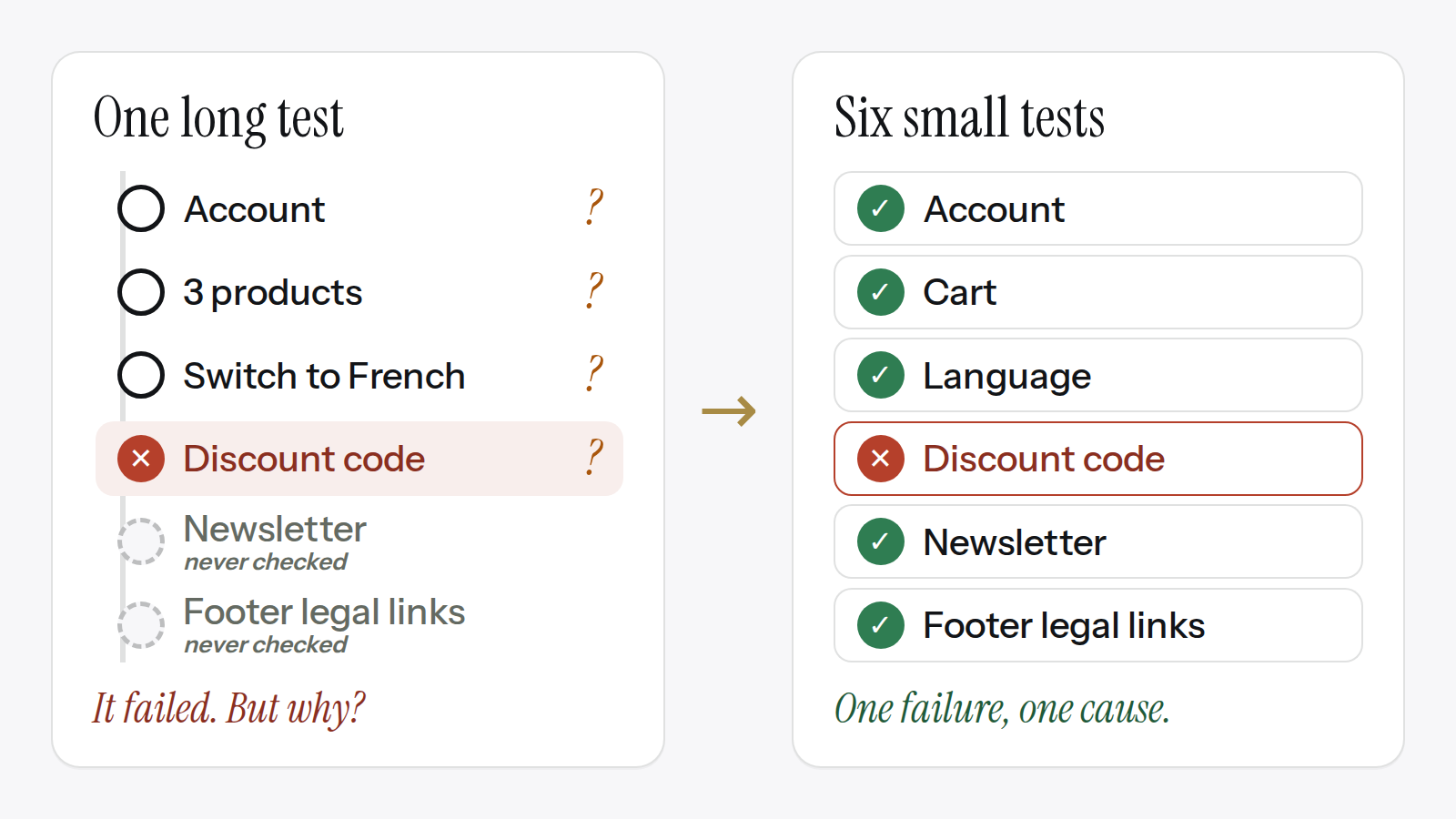
It reads well. It even looks thorough. Now suppose the test fails at the discount code.
What is broken? Several answers are possible, and the test does not choose between them:
- the code itself: mistyped, expired, or genuinely faulty, which is what you wanted to know;
- the account you just created: the code might be reserved for certain customers, or the account might not have been created properly;
- the three products: the code might not apply to one of them, or the cart might not have kept all three;
- the switch to French: the code might only be recognized in one language, or changing the language might have altered the cart.
Each of these is plausible in an online shop. To find out which one it is, someone has to replay the steps by hand, one at a time. In other words, they have to do the splitting the test should have done.
There is a second cost, quieter than the first. The newsletter sign-up and the footer legal links came after the discount code. The test stopped before reaching them, so it says nothing about them. They may work, they may not. The report shows one failed test, and two features nobody checked.
The same instruction, split up, becomes six tests: account creation, the cart, the language switch, the discount code, the newsletter sign-up, the footer legal links. If the discount code fails now, the five others still run, and the failed one can only be about one thing.
Several steps, one check
"One thing" does not mean "one action". To check one thing, you often have to do others first.
To check that an account is created, you first have to register it. To check that a product is in the cart, you obviously have to put it there. Those earlier actions are steps: they get you to the check. They are not extra checks.
A step is something the test does on the way. A check is the question the test is there to answer, and there is only one per test.
Back to the shop. The discount code test needs a product in the cart, since a code applies to an order. Adding that product is a step. But the test does not go back over whether the account was created properly, nor whether the site displays correctly in French. Those questions belong to other tests.
Where to stop: the shortest path
So how many steps are allowed? The limit is the shortest path to the check.
Start from the thing you want to verify and work backwards. Keep only the steps without which you cannot get there. Anything else is a detour, and every detour is a second thing being tested, with its own chances of failing.
Take a cart for signed-in customers. Sign in, add the product to the cart, check the cart. Three steps, one check, nothing extra: that is an acceptable test. Signing in is not a detour here, because the cart you want to test is the signed-in one.
Compare it with the shop instruction above. Switching the site to French before applying the discount code, when the test is not about the language, is a detour. It adds nothing to the question "does the code work?", and it adds one more possible cause when the answer is no.
"Test the whole site" is not an instruction
The broadest instructions are the extreme case of the same mistake. "Test the whole site." "Test the customer area." We see these written, word for word.
There is nothing to check in them. No result is named, so no result can come back that you could rely on. You get a test that does things on your site, but whose outcome does not tell you whether what matters to you works. Asking for the whole site means leaving the choice of what counts to the tool, when that choice belongs to your team, as we explained in what AI changes about testing a website.
The fix is to replace the area with the list of things a person must be able to do in it. "Test the customer area" becomes several instructions: a customer can create an account, a customer can sign in, a customer can find their past orders. One instruction per thing.
In Qaviar, a test is written as an instruction in everyday sentences. Everything above applies to that instruction: one instruction, one feature.
Open your longest test instruction and count the "and"s and the "then"s. For each one, ask whether that action is needed to reach the final check. If it is not, it is a check in its own right, and it gets its own test.
Want to check this on every deployment?
Qaviar walks through your site like a visitor and shows you what changed.